
How to use Yard Checker
Summary
Each player can find the positions of the green from the satellite image on google maps, and set the greens as the target to measure distances.
Targets (green positions) can be set during play, but it is convenient to set them at home beforehand.
You can register on Pre-Registration in advance.
1. Tap current position button
First of all, when you arrive near the tee ground of the 1st hole,
please tap "CurrPos" button.
You can get your current position by using the GPS of your
smartphone.
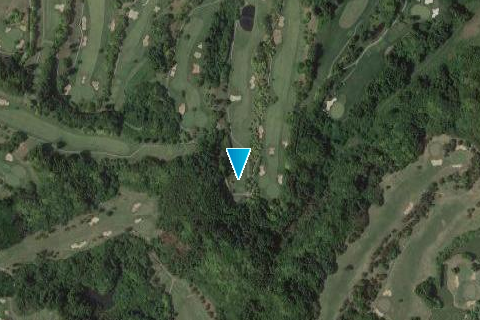
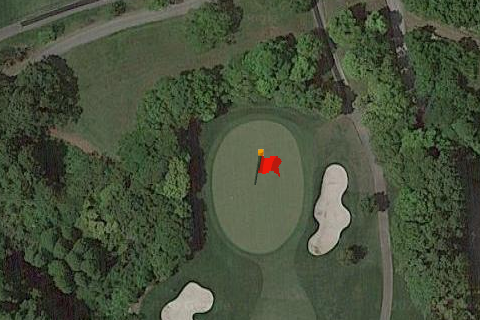
2. Find the green
Next, find the green of the 1st hole from the satellite image of
google map. You can tap it to set as the target.
(∗ If you have pre-registered, the marker is displayed on the
green, so tap the marker.)
3. Measure distance
Just before the shot, you can see the distance from the ball
position to the target (green) by tapping the "Measure" button.
It is not necessary to tap the "CurrPos" button before because
the current position is updated at the same time when the
"Measure" button is tapped.
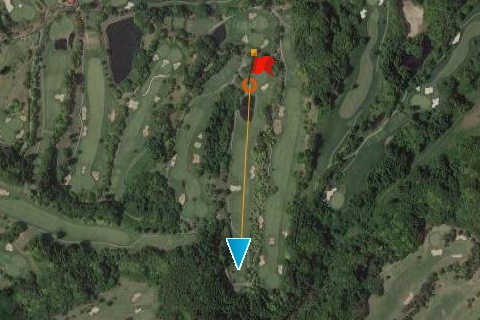
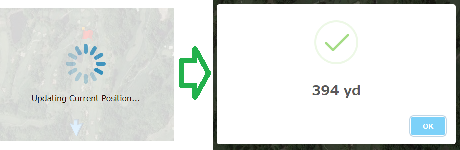
4. Repeat
The target remains set even after measuring the distance, so you can
see the distance by simply tapping the "measure" button at the
second shot, the third shot and more.
When you arrive near the tee ground of the next hole, repeat from
"1. Tap current position button" again.